How to Set Up Two-Factor Authentication on Skrill and Neteller: Protect Your Trading Wallet in 2026

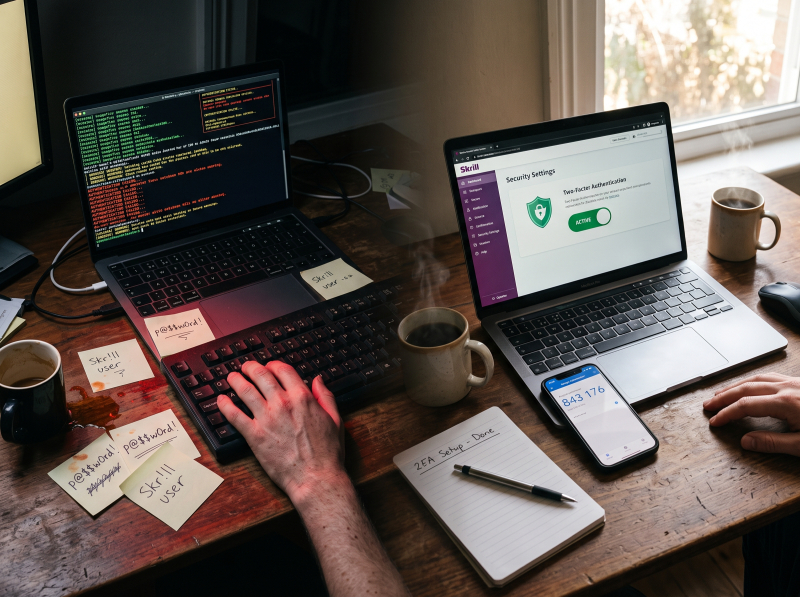
On July 7, 2026, Socket.dev researchers uncovered a typosquatting campaign - later detailed by AmpcusCyber’s ShadowOps team - that published 17 malicious packages across npm and PyPI - 13 on npm, 4 on PyPI - impersonating Paysafe, Skrill, and Neteller SDKs. The packages stole API keys, tokens, and cloud credentials from developer environments.
This was a developer attack, not an end-user breach. But it proves the Paysafe ecosystem is an active target. If attackers are investing this much effort in the toolchain, your trading wallet - holding real funds, linked to real broker accounts - is not off the radar.
Whether you are trading forex, managing multi-currency funds, or moving money between brokers, your e-wallet holds real value. And real value attracts real attackers.
The single most effective step you can take today: enable two-factor authentication on both your Skrill and Neteller accounts. This guide walks through exactly how to set it up - platform by platform - in under ten minutes.
Open your Skrill or Neteller account through Wikiwallet today, become a Fast Silver VIP, and claim your $35 welcome bonus. Your account is upgraded within 24 hours for new signups. Then lock it down with the steps below.
Last updated: August 2026
Translation: two-factor authentication - 2FA for short - means logging in requires two proofs. Something you know (your password) and something you have (your phone, generating a one-time code). Without 2FA, a stolen password gives full access. With 2FA, that password is useless without your phone.
Both Skrill and Neteller support multiple 2FA methods: Google Authenticator (a time-based one-time password app), SMS codes, email codes, and platform-specific PINs. The authenticator app is the strongest option.
The urgency is not theoretical. Digital wallets had a 3.8% fraud attempt rate in 2025 - higher than cards and bank transfers, per Sift. In the same period, 21% of consumers experienced an account takeover. Yet 2FA adoption sits at under 4%. For an e-wallet holding your trading capital, that gap is a liability.
You will need your phone and a computer to follow along.
After setup, Skrill shows 2FA Recovery Codes. Save them offline - printed or written down, never on the same device. They are one-time use and the only way back in if you lose your phone.
No Skrill account yet? Opening one through Wikiwallet takes standard KYC. Your Fast Silver VIP activates within 24 hours, and the Silver threshold drops to €5,000 instead of €15,000.
Skrill also offers a 6-digit PIN as a second factor. Rules: no repeating digits (111111) and no consecutive sequences (123456 or 654321). Set it up during account creation, or later via Settings, Security, Reset PIN. The PIN is prompted on new devices or new recipients.
Skrill also supports SMS and email codes under Settings, My Account. SMS is better than nothing, but SIM-swap attacks can intercept SMS codes. An authenticator app is stronger.
The smart play is to pair 2FA with VIP status through Wikiwallet. Skrill Silver drops to €5,000 quarterly instead of the standard €15,000, plus you get premium 24/7 support and automatic cashback on the 8th. Open your Skrill account through Wikiwallet today.
Neteller calls its authenticator-based 2FA “Two-Step Authentication.” Here is how to enable it.
Here is what matters: Two-Step Authentication and Secure ID are separate layers. You want both enabled - Two-Step Authentication secures the login, and Secure ID secures individual transactions and logins from new devices. Together they give you full coverage.
Secure ID is a 6-digit PIN set up as the final step of Neteller account creation. The same digit rules apply: no repeating digits and no consecutive sequences. It is prompted when you log in from a new device or send money to a new recipient.
To reset, go to Settings, Security, Reset Secure ID. A verification link is emailed to you - click it and set a new one. On mobile, tap Forgot Secure ID at login, confirm your password, and follow the email link. If the email does not arrive, check your Spam folder and add Neteller@notifications.Neteller.com to your address book.
If you do not yet have a Neteller account, opening one through Wikiwallet follows the same path: standard KYC, VIP activation within 24 hours, Silver at $6,000 (roughly €5,500) quarterly instead of $15,000.
2FA is the single biggest upgrade you can make to your account security. But it works best as part of a broader set of habits.
At least eight characters, mixed case, numbers, and a special character. Never reuse passwords across sites. A password manager makes this practical.
A fully verified account is harder for an attacker to compromise. It also reduces the chance of a compliance hold if your account gets flagged. Read our guides on why e-wallets freeze funds and the KYC verification process.
Both Skrill and Neteller mobile apps support fingerprint or face unlock. It adds a barrier and takes seconds to set up.
Open networks make session hijacking trivial. Use a VPN at airports, cafes, or anywhere with shared WiFi.
Check recent activity regularly in the app or web dashboard. If you see a transaction you did not make, change your password and contact support immediately.
Phishing still works regardless of 2FA. An attacker who tricks you into entering credentials and a 2FA code on a fake login page has full access. Always verify you are on the real skrill.com or neteller.com domain. Bookmark the official URLs and never click email links to log in.
A secure e-wallet is the foundation. Security plus savings is the full picture - and that is where Wikiwallet VIP changes the math.
Opening your Skrill or Neteller account through Wikiwallet unlocks Fast Silver VIP. The standard Silver threshold is €15,000 quarterly for Skrill and $15,000 for Neteller. Through Wikiwallet, those drop to €5,000 for Skrill and $6,000 (roughly €5,500) for Neteller - roughly one-third of the standard requirement, reachable for most active traders in a single quarter.
VIP also means premium 24/7 support. If something goes wrong - a flagged login, delayed withdrawal, verification hold - VIP support resolves it faster. Cashback is credited automatically on the 8th of every month.
For a deeper comparison of the two VIP programs, see our head-to-head breakdown of Skrill VIP versus Neteller VIP for active traders.
When you strip it all away, enabling 2FA is the single most effective step you can take to protect your trading wallet. It takes under ten minutes and closes the largest vulnerability in any online financial account.
Open your Skrill account through Wikiwallet today for Fast Silver VIP and your $35 bonus, and lock it down with 2FA. Or go with Neteller - same $35 bonus, Silver at $6,000 quarterly instead of $15,000. Either way, activation is within 24 hours and cashback lands on the 8th.
Use the recovery codes Skrill gave you during setup. Store them offline - printed or written down, not on the same device. If you did not save them, contact Skrill support. Recovery requires identity verification and may take several days.
Go to Settings, Security, Reset Secure ID and follow the email verification link to set a new 6-digit code. Same rules: no repeating or consecutive digits. Check your Spam folder if the email does not arrive.
SMS is better than no 2FA, but an authenticator app is measurably stronger. SIM-swap attacks can intercept SMS codes by tricking your carrier. Google Authenticator codes are tied to your device, not your phone number, making them immune to that attack vector. Use the authenticator app if you can.
You closed a profitable trade. Now you are waiting for your money. Bank wires crawl through correspondent banks for 3 to 5 business days. Debit card withdrawals are not much faster. Every hour your capital sits in limbo is an hour it is not working for you. This is the gap e-wallets close. A Skr...
Most broker lists skip the deposit fee. We checked 12 forex brokers. Here is who charges zero for Skrill and Neteller funding, and who quietly takes a cut - unbiased, per-broker breakdown. Most “Skrill forex brokers” lists tell you whether a broker accepts the wallet. Sites like ForexDominion list...
A Skrill or Neteller deposit lands in your trading account in seconds. A bank transfer takes days. That is why most retail forex traders stopped using bank wires - and knowing exactly which brokers accept these wallets is the question this directory answers. Both wallets are owned by Paysafe and...
Whether you are trading forex, managing multi-currency funds, or sending money abroad, VIP status on your e-wallet is where the real savings kick in. Both Skrill and Neteller offer tiered VIP programs - both unlock at roughly the same entry volume and both slash fees. But they are not identical. On...

Doe sua pergunta e nós lhe daremos uma resposta. Juntos nós podemos tornar esta comunidade mais inteligente!


