How to Use Your Skrill Prepaid Card for Steam, PS & Xbox (2026)
Learn how to buy games on Steam, PlayStation, and Xbox with your Skrill prepaid card. Step-by-step setup, fees, and VIP savings explained.
Learn how to buy games on Steam, PlayStation, and Xbox with your Skrill prepaid card. Step-by-step setup, fees, and VIP savings explained.

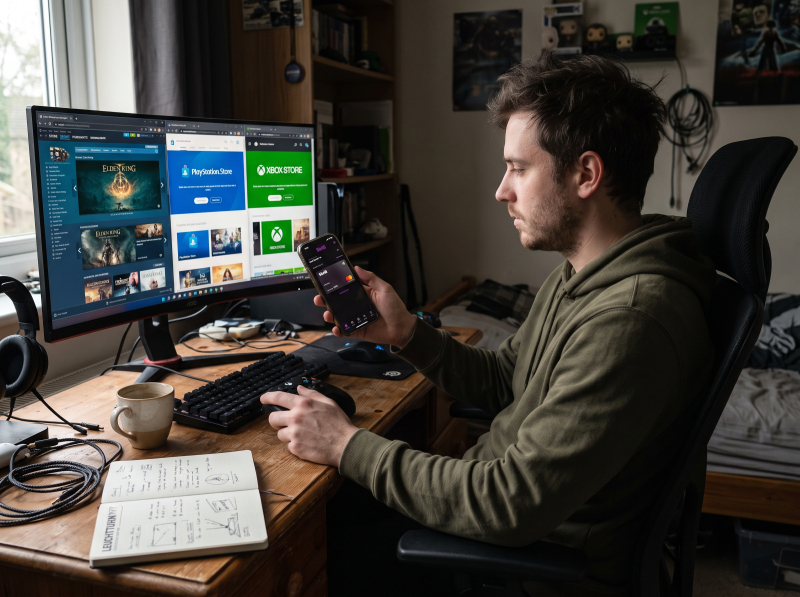
Physical Steam Gift Cards are dying. Valve is discontinuing them by the end of 2026 - once shelves empty, that is it. If you have been buying those cards to fund your Steam wallet, you need a replacement.
Linking your bank debit card to every platform is not ideal. It exposes your bank details to multiple storefronts. Bank transfers are slow. Store-specific gift cards lock your money to one platform.
The Skrill prepaid card solves this. It is a Mastercard linked to your Skrill e-wallet balance - a virtual card issued the moment you order it, accepted anywhere Mastercard is online. Steam. Xbox. PlayStation. One payment method for every platform. No bank details shared. You spend only what you load.
Whether you are a PC gamer growing your Steam library, a console player chasing exclusives, or an Xbox Game Pass subscriber, the Skrill prepaid card gives you one payment method that works everywhere you play.
This guide covers what the card is, how to get and fund it, step-by-step instructions for Steam, Xbox, and PlayStation, the fees involved, and how VIP status through Wikiwallet eliminates most of those costs.
Last updated: July 2026
Open your Skrill account through Wikiwallet today, become a Silver VIP, and claim your $35 bonus.
The Skrill prepaid Mastercard is a reloadable card that draws directly from your Skrill e-wallet balance. It is not a credit card - no credit check, no bank account required, no overdraft. You spend only what is in your wallet.
Two versions. The virtual card is issued instantly when you order - 16-digit number, expiry, and CVV appear immediately. Use it online right away, and add it to Apple Pay or Google Pay. The physical card arrives by mail within 15 business days. Our Skrill Mastercard explainer covers the full feature set.
Where it works: anywhere Mastercard is accepted online - Steam, Xbox, PlayStation, Epic Games, and every digital storefront. Our merchant acceptance guide covers the full list.
The key advantage: gaming spending stays separate from your bank account. Funds move instantly. As our e-wallet vs bank account comparison documents, e-wallets are purpose-built for fast digital payments; banks are built for storing money. Your Skrill wallet holds fiat and crypto, and our guide to spending crypto through digital wallets explains how the card bridges any balance to merchant payments.
The card is available to residents of the European Economic Area (EEA) and the UK only. Outside those regions, the card is not available - though Steam accepts Skrill as a direct wallet payment method in many countries.
Step 1: Open and verify your Skrill account. Sign up and complete KYC verification - government ID plus proof of address. Through Wikiwallet, you reach Silver VIP at just €5,000 in quarterly volume - the standard threshold is €15,000. That lower bar unlocks free card fees from day one.
Step 2: Order your card. Go to the Skrill Card section and click “Order now.” The €10 annual fee is waived if you are Silver VIP through Wikiwallet. Your virtual card appears immediately - full card number, expiry, and CVV. Use it online the same moment. Add it to Apple Pay or Google Pay while the physical card ships (up to 15 business days).
Step 3: Fund your wallet. Deposit via bank transfer, card top-up, or any supported method. The card draws automatically from your wallet balance - no separate loading step.
Pro Tip: Fund in the same currency as your gaming platform. If Steam charges in EUR, hold EUR. If PlayStation bills in USD, hold USD. This avoids the 3.99% FX fee at checkout.
Steam accepts Mastercard - your Skrill prepaid card needs no special setup. It is a standard card payment at checkout.
Add games to your cart.
Select Mastercard (or Credit/Debit Card) at checkout.
Enter your card number, expiry, and CVV from the Skrill app.
Confirm - funds deduct instantly.
You can buy games, DLC, Steam Wallet credit, subscriptions, and in-game items.
With physical Steam Gift Cards disappearing by the end of 2026, your Skrill virtual card is a permanent alternative - always available and not locked to a single store.
Pro Tip: Match your wallet currency to your Steam store region. EUR wallet for EUR Steam store means zero FX markup. A different currency triggers the 3.99% conversion fee.
A close-up of a smartphone showing the Skrill virtual card details alongside a laptop screen displaying the Steam checkout page with Mastercard selected as the payment method
The Xbox Store does not accept Skrill as a direct wallet payment, but it accepts Mastercard - and your Skrill card is a Mastercard.
On your Xbox console or xbox.com, go to the Store.
Add Credit/Debit Card as a payment method - enter your Skrill card details.
Use it at checkout.
Funds draw from your wallet instantly.
You can buy Xbox games, add-ons, Game Pass subscriptions, and in-game currency. Save the card to your Microsoft account for faster repeat purchases. Because the card spends only your wallet balance, it also acts as a spending limiter - no accidental overspending.
The PlayStation Store accepts Mastercard - your Skrill card works the same way it does on Steam and Xbox.
On your console, the PS App, or store.playstation.com, go to Payment Methods.
Add a new card - enter your Skrill card number, expiry, and CVV.
Use it at checkout for games, DLC, or PlayStation Plus subscriptions.
Funds deduct immediately.
Example: A €79.99 PS5 game costs exactly €79.99 - zero purchase fees. If your wallet holds EUR, there is no FX markup. If your wallet holds USD instead, the 3.99% FX fee adds roughly €3.19. Currency matching is the difference between paying €79.99 and €83.18 for the same game.
Standard fees, per Skrill’s official card page: €10 annual, €10 application (first card), 1.75% ATM withdrawals, 3.99% FX on cross-currency transactions. Online and in-store purchases in your wallet currency are free. Inactivity fees may apply after 12 months.
The FX fee is the one to watch. Our full guide to e-wallet fees documents FX markups from 0.5% to 4% across e-wallets - a €500 cross-currency purchase can cost €35 in fees. That is 7% gone before you even play.
VIP status through Wikiwallet eliminates most of these costs: card fees drop to zero, ATM withdrawals become free, FX rates fall below standard, P2P transfers go from 2.99% to free, and you earn monthly cashback credited on the 8th. You also collect Knect loyalty points - 1 point per €1 spent, per Skrill’s Knect FAQ - redeemable for cash vouchers. Dual rewards on every gaming purchase.
Pro Tip: Open your Skrill account through Wikiwallet and start saving as a Silver VIP - your card fees drop to zero and your cashback arrives on the 8th of every month. Get started here.
Budget control. The card spends only your wallet balance. No overdraft. No declined transaction because your bank flagged a gaming purchase. You set the limit.
Security. Your bank details stay hidden behind the Skrill card number. A data breach exposes your prepaid card - not your checking account. Freeze and replace it in seconds.
Speed. Funds move instantly from wallet to merchant. No bank transfer delays.
Multi-platform. One card works across Steam, Xbox, PlayStation, and Epic Games - anywhere Mastercard is accepted. No separate payment methods per store.
Bottom line: A prepaid card on an e-wallet is purpose-built for fast, secure digital spending. A bank account is built for storing money. For buying games, the difference matters. Our Skrill vs Neteller vs LuxonPay comparison breaks down which fits your use case - for prepaid card gaming, Skrill’s instant virtual card and Mastercard acceptance make it the strongest pick.
The Skrill prepaid card gives you one payment method for every gaming platform. Virtual card issued instantly. Zero purchase fees. Built-in spending cap.
The real value unlocks at VIP. Through Wikiwallet, you reach Silver VIP at €5,000 quarterly volume - one third of the standard €15,000. That means free card fees (€20/year saved), free ATM withdrawals, lower FX rates, free P2P transfers, and monthly cashback on the 8th.
Whether you are building your Steam library, chasing PlayStation trophies, or grinding Xbox Game Pass, the Skrill prepaid card through Wikiwallet gives you a faster, safer, and cheaper way to pay for every game. Open your account today and claim your $35 welcome bonus.

Skrill VIP card in premium dark metallic finish on a desk, with gaming controller and headset in the background
The Skrill Prepaid Mastercard is available only to EEA and UK residents. Outside these regions, the card is not available - though Steam accepts Skrill as a direct wallet payment in many countries.
No. Your virtual card is issued instantly and works immediately for all online purchases. If you only shop online, the physical card is unnecessary.
Check your wallet balance, verify the card details, and confirm your card has not expired. If a platform flags prepaid cards, try adding your Skrill card to PayPal and routing the payment through PayPal instead.
A prepaid card draws from your Skrill wallet, not your bank account. No credit check. No overdraft. Your bank details stay private - the merchant sees only the card number. Our e-wallet vs bank account guide covers the full comparison.
The macro picture: The ECB has begun hiking rates for the first time since 2023. A new, hawkish Fed chair took office in May. The Bank of England is split on its next move. And oil is back above $100 a barrel (roughly €92) as the Strait of Hormuz disruption deepens. What this means for your trad...
Compare Skrill and Payz to see which offers more value in 2025. Skrill and Payz are two of the most popular options when choosing an e-wallet for gambling, poker, or forex trading. Both provide secure transactions, multi-currency support, and fast transfers. However, their differences in fees, p...
Avoid High Fees and Unlock Exclusive Benefits. Stop losing money to high fees. Discover how Skrill and Neteller VIP can transform your gaming and trading experience! Stop letting high fees drain your hard-earned money. If you're a gamer cashing out winnings or a trader moving funds, those extra ...
Внесите на свой счет AstroPay более 5 тысяч евро/долларов США и используйте его для финансовой торговли, и вы будете иметь право на кэшбэк в размере 1% в Бразилии. Форекс - это одна из наиболее прибыльных и растущих онлайн-активностей в Бразилии, которая превращает многие обычные домашние хозяй...

Задайте свой вопрос, и мы дадим ответ. Вместе мы можем сделать это сообщество умнее!


